

Table of Contents
- Why Social Media Marketing Works for Trade Businesses
- Best Social Media Platforms for Contractors
- Social Media Content Ideas for Contractors
- Building a Social Media Posting Schedule for Small Business
- How to Get Leads From Social Media for a Service Business
- Measuring Social Media Marketing Results and Avoiding Common Mistakes
- Frequently Asked Questions
Last Updated: October 7, 2026
Why Social Media Marketing Works for Trade Businesses
Social media marketing for trade businesses is the practice of using platforms like Facebook, Instagram, and YouTube to show local homeowners your work, build trust, and turn views into booked jobs. For HVAC and plumbing companies, it works because people hire contractors they have already seen.
At MSJ Marketing Consultants, we work with family-run trade businesses every day. The pattern is consistent: a homeowner sees a photo of a clean install, checks your reviews, and calls. No glossy ad needed.
Here is what most guides get wrong. They treat social media like a billboard. It is not. It is a trust builder that runs between jobs.
Three things make it pay off for contractors:
- Local reach. Your posts land in front of people in your service area.
- Proof of work. Photos and short videos show real results, not claims.
- Low cost. A phone and 20 minutes a day can carry a page.
Below, we break down the platforms, content ideas, posting schedule, and lead tracking that actually move the needle. The approach is simple on purpose. Simple is what survives a busy service week.
Best Social Media Platforms for Contractors
The best platforms for contractors are Facebook, Instagram, and YouTube, with Google Business Profile as your foundation. Facebook wins for local reach and reviews. Instagram suits visual before-and-after work. YouTube handles longer walkthroughs.
Skip anything that does not fit how homeowners hire. TikTok can work, but only if you enjoy filming. A neglected page hurts more than no page.
Where Each Platform Fits Your Business
| Platform | Best For | Posting Effort | Lead Potential |
|---|---|---|---|
| Local reach, reviews, community | Low | High | |
| Before-and-after photos, reels | Medium | Medium | |
| YouTube | Job walkthroughs, how-tos | High | Medium |
| Google Business Profile | Search visibility, calls | Low | High |
| Nextdoor | Neighborhood trust | Low | Medium |
Start with two. Facebook plus Google Business Profile covers most service businesses. Add Instagram once posting feels easy.
Claim and fully complete your Google Business Profile before you touch any other platform. For local service searches, that profile often does more for your phone than every social post combined.
Social Media Content Ideas for Contractors
The best content ideas for contractors come straight from the job site. You already have the raw material. You just need to capture it.
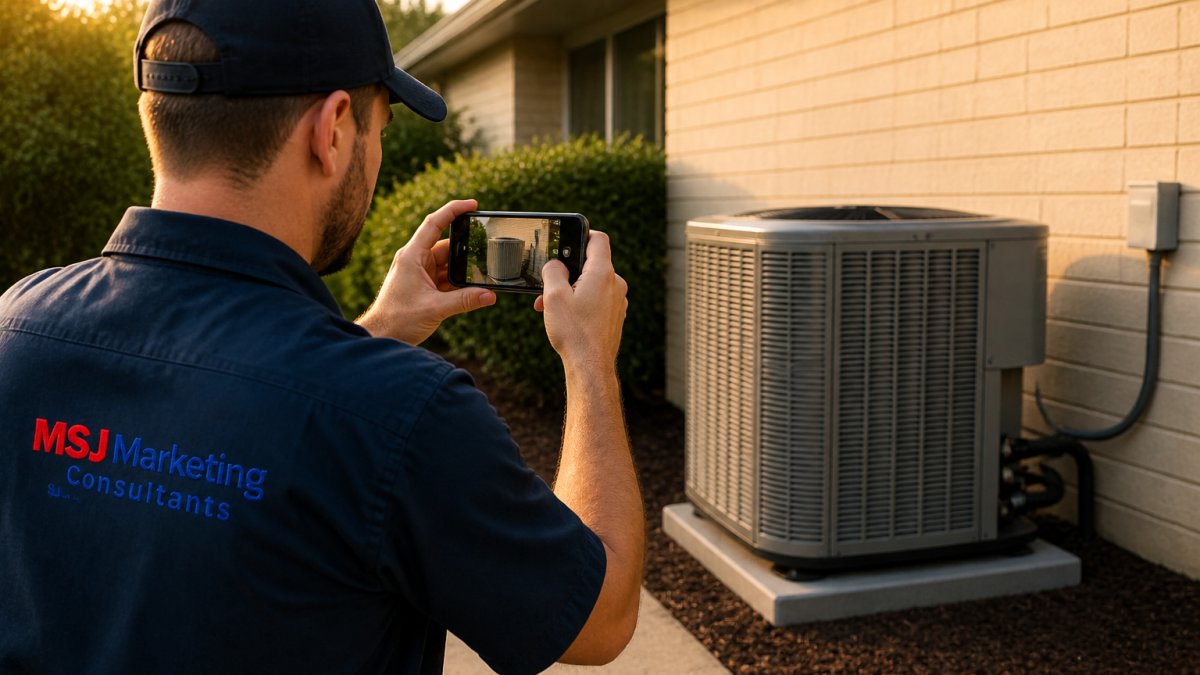
Turning Job Sites Into Content
Every job gives you four or five posts if you look. A common mistake is waiting for something “interesting” to happen. The ordinary stuff performs best.
- Before-and-after photos. A rusty unit swapped for a new one.
- Short walkthrough videos. 30 to 60 seconds, shot on your phone.
- Quick tips. “How to spot a slow leak before it floods your garage.”
- Customer thank-yous. A photo with permission and a kind word.
- Team spotlights. Faces build trust faster than logos.
Get written permission before posting a customer’s home or name. A simple text message works.
Never post a customer’s address, security codes, or photos of their home without written permission. A single complaint can cost you the neighborhood’s trust and create a real legal problem.
Building a Social Media Posting Schedule for Small Business
A realistic posting schedule for a small business is three to five posts per week. Consistency beats volume. A plumber who posts three times every week will outgrow one who posts ten times in a burst and then vanishes.
Most guides stop there. The harder question is who actually makes the content when the owner is on a service call and the crew is on a roof. Here is a workflow that survives a busy week.
A Weekly Rhythm That Fits Around Service Calls
Anchor each week to the same three slots so posting becomes a habit, not a decision:
- Monday: a quick tip or safety reminder.
- Wednesday: a before-and-after photo.
- Friday: a short video or customer thank-you.
Then layer a monthly theme on top so the feed does not feel random. A common pattern is:
- Week 1: seasonal maintenance reminder (furnace tune-up, gutter clearing, water heater flush).
- Week 2: a finished job with before-and-after photos.
- Week 3: a short how-to or “spot this problem early” clip.
- Week 4: a customer thank-you, team spotlight, or review screenshot.
Who Creates, Approves, and Publishes
You do not need a marketing department. You need three named roles, even if one person wears two hats:
- Capturer: whoever is on site. Their only job is to shoot 20 to 30 seconds of raw phone video and two or three photos before they pack up. No editing, no captions.
- Writer: the office manager, a family member, or the owner on a Sunday. They turn the raw clips into captions and pick the weekly theme.
- Approver: the owner. One pass, same day, to catch anything that names a customer, shows an address, or makes a claim you cannot back up.
Keep a shared phone album or cloud folder named by month. The capturer drops files in; the writer pulls from it. That single habit removes the “we have nothing to post” problem.
Batch It, Then Schedule It
Spend one hour a week, Sunday evening works for most owners, writing captions and loading the week into a scheduler. Meta Business Suite lets you schedule Facebook and Instagram posts at no charge, and YouTube lets you schedule uploads in advance.
- Keep a folder of job photos on your phone, sorted by month.
- Write captions in plain language, the way you would explain the job to a neighbor.
- Add your city or service area to the caption so local searches can find it.
- Save three “evergreen” posts (a services list, a review roundup, a team intro) to fill any week that gets away from you.
Film in landscape for YouTube and square or vertical for Facebook and Instagram. Shooting one clip in each orientation takes ten extra seconds on site and saves you from cropping later.
A Simple Approval and Permission Checklist
Before anything publishes, run it past this list:
- Written permission on file for any customer home, name, or face.
- No addresses, gate codes, alarm codes, or license plates in frame.
- No pricing or warranty claims you cannot stand behind.
- Caption names the service and the area, not just the job.
A schedule is only useful if it runs without you. Name the roles, batch the work, and the calendar takes care of itself.
How to Get Leads From Social Media for a Service Business
Getting leads from social media for a service business comes down to one clear call to action on every post. “Call us for a free estimate” or “Message us to book.” If you do not ask, people will not act.
Make it easy:
- Add a call button to your Facebook page.
- Put your phone number in every caption.
- Reply to comments and messages within a few hours.
- Pin a post with your services and service area.
Turning Views Into Booked Jobs
A like is not a lead. A lead is a name, a phone number, and a service request. The gap between the two is where most contractors lose money without realizing it.
Set up a simple intake path so nothing slips:
- Every post ends with one action. Call, message, or tap the link. Never two.
- Messages get a reply within a few hours. Facebook and Instagram both let you save quick replies for common questions like “Do you service my area?” and “How soon can you come out?”
- Every inquiry gets logged the same day, name, platform, service requested, and date.
- Every quote gets a follow-up within 48 hours if you have not heard back.
Tracking Leads Without Expensive Software
You do not need a CRM to know what is working. A shared spreadsheet with five columns does the job:
| Column | What Goes In It |
|---|---|
| Date | When the inquiry came in |
| Source | Facebook, Instagram, YouTube, Google Business Profile, referral |
| Service | What they asked about |
| Status | New, quoted, booked, lost |
| Notes | Anything that helps you follow up |
Ask every caller, “How did you find us?” and write down the answer. After a month, sort the sheet by source and count how many turned into booked jobs, not just how many came in. A platform that sends ten tire-kickers is worth less than one that sends two booked installs.
What to Watch Beyond the First Click
Most contractors stop measuring at the inquiry. The number that matters is revenue per source. Two simple habits close that gap:
- Tag the job, not just the lead. When a quote turns into work, update the status column. That is how you learn which platform actually pays.
- Watch your reply time. A common pattern is that inquiries answered within an hour book at a much higher rate than those answered the next day. Speed is a lead-generation tactic, not just customer service.
If you would rather not manage this yourself, a team like MSJ Marketing Consultants can run your social pages and track results for you.
Measuring Social Media Marketing Results and Avoiding Common Mistakes
Measure what matters: calls, messages, and booked jobs. Likes and followers feel good but do not pay the bills. Track three numbers each month: reach, engagement, and leads.
A simple scorecard:
| Metric | What It Tells You | Watch For |
|---|---|---|
| Reach | How many locals saw you | Steady growth |
| Engagement | Comments, shares, saves | Real conversations |
| Leads | Calls and messages | Booked jobs |
| Cost per lead | What you spent per lead | Staying profitable |
Common mistakes to avoid:
- Posting the same photo on every platform with no changes.
- Ignoring comments and messages.
- Buying followers.
- Giving up after three weeks.
Three to five consistent posts a week, a clear call to action, and a simple lead tracker will beat a fancy strategy you never stick with.
For paid promotion, set a small monthly budget and test one audience at a time. Check the Federal Trade Commission’s advertising and endorsement guides before you run any contest or customer testimonial, so your claims stay honest.
Social media marketing for trade businesses is not about going viral. It is about showing up, week after week, until your neighbors know your name. That is hard to do alone when you are already running service calls. MSJ Marketing Consultants offers social media management, local SEO, and custom website design built for family-run trade businesses. Our team handles the posting, tracking, and reporting so you can stay on the job. Book a free strategy call and find out what consistent social media can do for your leads.
Frequently Asked Questions
What should a trade business post on social media?
Mix job photos and short videos, customer reviews, seasonal maintenance reminders, and quick tips. A finished water heater install or a before-and-after AC repair photo shows your work better than a slogan. Add one post a week that answers a common question, like how often to change a filter. Keep the mix varied so your page does not look like a catalog of ads.
Which social media platforms work best for plumbers and HVAC businesses?
Facebook and Instagram reach most local homeowners, and both support photo, video, and review content. Nextdoor works well for neighborhood recommendations, while YouTube suits longer repair walkthroughs. Pick two platforms and post consistently rather than spreading thin across five. The best social media platforms for contractors are the ones where your customers already spend time.
How often should a trade business post on social media?
Three to five posts a week is enough for most small trade companies. A simple social media posting schedule for small business might be a job photo on Monday, a tip on Wednesday, and a review or seasonal reminder on Friday. Consistency matters more than volume. Batch a month of content in one sitting so a busy service week does not break the routine.
How can a small trade business get more local leads from social media?
Make it easy to act. Add a call button to your page, reply to comments and messages within a few hours, and mention your service area in captions. Post about specific jobs in nearby neighborhoods so people recognize the area. Then track which posts produce calls or form fills so you know what to repeat.